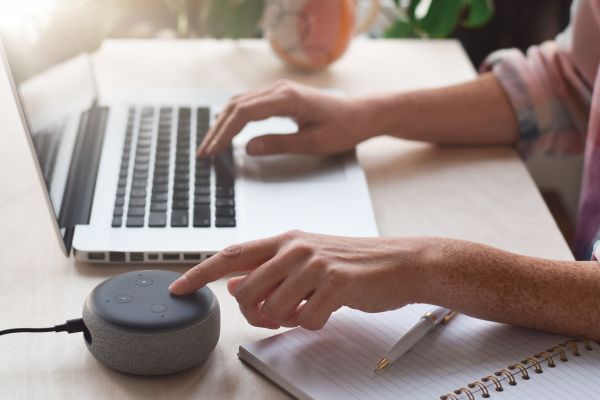
If you’ve just unboxed a shiny new Echo device and you’re staring at it wondering what comes next, you’re not alone. A lot of people buy smart speakers with big plans, only to pause at the setup stage. The good news is this: learning how to set up Amazon Alexa is way easier than it sounds. You don’t need to be tech-savvy, and you definitely don’t need to overthink it.
In this guide, I’ll walk you through the entire process in plain language, like a friend explaining it over coffee. No stiff instructions, no confusing tech jargon. Just real advice, a few helpful tips, and some honest insight into what actually matters when you’re getting Alexa up and running.
What Amazon Alexa Actually Is (and Why It’s Worth Setting Up)
Before jumping into how to set up Amazon Alexa, it helps to understand what you’re dealing with. Alexa isn’t the device itself. It’s the voice assistant inside Echo speakers, smart displays, and other Alexa-enabled gadgets. Think of Alexa as the brain that listens, responds, and connects everything together.
Once Alexa is set up, you can ask it questions, play music, control smart home devices, set reminders, check the weather, and honestly, do a lot more than most people expect at first. The thing is, all of that magic only works properly if the setup is done right from the beginning.
So yeah, spending a few extra minutes here pays off later.
What You Need Before You Start the Setup
Let’s keep this simple. To learn how to set up Amazon Alexa without frustration, you need three basic things. First, an Echo or Alexa-enabled device. Second, a smartphone or tablet. Third, a stable Wi-Fi connection.
You’ll also need an Amazon account. If you’ve ever ordered something from Amazon, you already have one. If not, you can create it quickly, and trust me, it’s easier than you think.
Make sure your phone is charged, your Wi-Fi password is nearby, and your Echo device is plugged into power. Once that’s done, you’re good to go.
Downloading and Preparing the Alexa App
This step is where everything really begins. The Alexa app is essential, and there’s no way around it. Head to your phone’s app store and search for the Amazon Alexa app. Download it, open it, and sign in using your Amazon account.
The app might ask for permissions like access to Bluetooth, location, and notifications. It may feel like a lot, but these permissions help Alexa connect properly and respond accurately. You can always adjust them later if needed.
Once you’re signed in, take a moment to look around the app. Don’t stress about every option yet. Just get comfortable with the layout. You’ll come back to it often.
Powering On Your Alexa Device for the First Time
Now for the satisfying part. Plug in your Echo device and wait. Within a minute or so, you should see a light ring or hear a welcome message. That’s Alexa saying hello, basically.
If the light turns orange or pulses, that’s a good sign. It means the device is in setup mode and ready to connect. If nothing happens or the light looks different, don’t panic. You can manually put the device into setup mode through the app later.
This moment is important because it tells you the device is alive and ready. From here on out, the setup flows pretty smoothly.
Connecting Alexa to Wi-Fi
This is the heart of how to set up Amazon Alexa properly. In the Alexa app, you’ll be prompted to add a new device. Choose your device type, confirm the model, and follow the on-screen instructions.
The app will search for your Echo device using Bluetooth. Once it finds it, you’ll select your Wi-Fi network and enter the password. This part needs to be accurate. A wrong password means starting over, and let’s be real, nobody enjoys that.
After a short wait, Alexa will confirm that it’s connected. If you hear a confirmation sound or voice message, you’re officially online. At this point, Alexa can start doing its thing.
Setting Your Location, Time Zone, and Preferences
Right after Wi-Fi setup, the app will guide you through some basic preferences. This includes your location, time zone, and language. These settings matter more than people realize.
Your location helps Alexa give accurate weather updates, local news, and nearby services. Time zone settings ensure alarms and reminders work correctly. And language preferences make sure Alexa understands you clearly.
Take a minute here. Rushing through this step can cause small annoyances later, like alarms going off at weird times or weather reports that don’t match your area.
Teaching Alexa to Recognize Your Voice
One underrated part of learning how to set up Amazon Alexa is voice training. Alexa can learn your voice so it responds more accurately and personalizes information just for you.
During voice setup, you’ll be asked to say a few phrases out loud. It might feel a little awkward, especially if someone else is around, but it’s worth it. Voice recognition improves responses, helps with shopping security, and makes the experience feel more natural.
If multiple people in your household plan to use Alexa, each person can add their own voice profile later. That way, Alexa knows who’s talking.
Linking Music, Smart Home, and Other Services
This is where Alexa starts feeling useful instead of just cool. Inside the app, you can link music services, calendars, smart lights, plugs, thermostats, and more.
You don’t have to connect everything right away. Start with one or two services you actually plan to use. For example, linking a music streaming service makes testing Alexa fun and immediate.
Once connected, you can say things like, “Alexa, play some music,” or “Alexa, turn off the lights.” It’s simple, but it feels kind of magical the first time.
Testing Alexa and Getting Comfortable Using It
After setup, talk to Alexa. Ask basic questions. Try setting a timer. Request the weather. Play a song. This testing phase helps you understand how Alexa responds and what commands feel natural.
If Alexa doesn’t understand you at first, don’t take it personally. Adjust how you phrase things. Speak clearly, but casually. Over time, you’ll find your rhythm.
The more you interact with Alexa, the smarter and more helpful it feels. That’s just how it works.
Common Setup Issues and Easy Fixes
Sometimes, even when you follow every step, things don’t go perfectly. Wi-Fi issues are the most common problem during setup. If Alexa won’t connect, double-check your network password and make sure your phone is on the same Wi-Fi network.
Another common issue is Bluetooth not connecting. Turning Bluetooth off and on again usually solves it. Restarting the Alexa app or unplugging the Echo device for a few seconds can also help.
If all else fails, resetting the device and starting over might feel annoying, but it often fixes stubborn issues. The setup process is forgiving, so don’t stress too much.
Making Alexa Feel Like Part of Your Home
Once you’ve mastered how to set up Amazon Alexa, the real fun begins. You can customize routines, change Alexa’s voice, adjust privacy settings, and explore skills that match your interests.
Some people use Alexa mainly for music and timers. Others rely on it for smart home control, daily routines, and reminders. There’s no right way to use it. The beauty of Alexa is flexibility.
Take time to explore features slowly. You don’t need to learn everything in one day. Alexa grows with you.
Final Thoughts on Setting Up Amazon Alexa
At the end of the day, learning how to set up Amazon Alexa isn’t about technology. It’s about making everyday life a little easier and more enjoyable. The setup process might seem intimidating at first, but once you start, it flows naturally.
With a few taps in the app, a Wi-Fi connection, and a little patience, you’ll have Alexa ready to help you with daily tasks, entertainment, and smart home control. And honestly, once it’s set up, you’ll probably wonder how you lived without it.
So plug it in, take your time, and enjoy the experience. Alexa’s waiting.